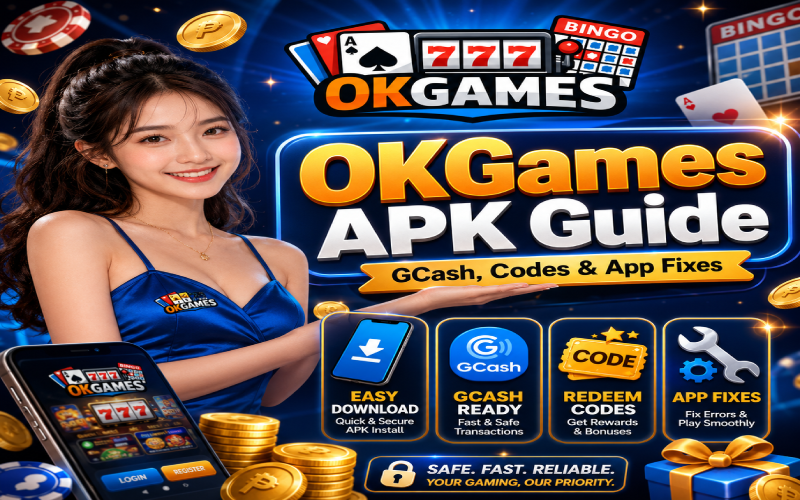

Mobile betting is accessible to Filipino players who use smartphones for casino games, sports markets, and promotions. A dedicated application may make account access faster, but users still need to understand installation, payments, bonus terms, and troubleshooting. This guide covers practical mobile betting use, personal security, and common transaction problems.
Download From a Trusted Source
Before installing any betting application, confirm that the file comes from the platform’s verified website or official support channel. APK files from random social media posts, chat groups, pop-up ads, or file-sharing pages may contain malware. The OKGames APK should not request unnecessary access to contacts, private photos, text messages, or unrelated phone features.
After downloading, allow installation only for the browser or file manager being used. Complete the process, then disable the “install unknown apps” permission again. Keeping Android and the application updated can reduce security risks.
Register With Correct Details
Use your real name, active mobile number, and accurate payment information when creating an account. Betting platforms may require identity verification before withdrawals are approved. Incorrect details can cause delays, failed transactions, or account restrictions. Choose a strong password that is different from those used for email, banking, and social media.
Players using okgames should never share passwords, one-time PINs, verification codes, or complete e-wallet details. Contact support only through the application or confirmed website.
Using GCash for Deposits
GCash is convenient for many Filipino bettors because payments can be completed by phone. Open the cashier section, select GCash, enter the amount, and follow the instructions. Check the account name, number, and deposit value before confirming.
Keep the transaction reference or screenshot until the balance appears. When a deposit is delayed, do not immediately send the same amount again because a duplicate payment may occur. Review your GCash history first, then contact official support with the amount, time, and reference number.
Withdrawing Through GCash
Before withdrawing, complete any required verification and review the payment rules. The betting account and GCash wallet may need matching personal details. Check the minimum amount, expected processing time, possible fees, and daily transaction limits.
Never pay a stranger who claims a private fee is needed to release winnings. Legitimate charges should appear in the cashier section or official terms. When a withdrawal remains pending beyond the stated period, ask support for a clear status update.
Understanding Promotional Codes
Promotional codes may offer bonuses, free spins, cashback, or other rewards. Before entering okgames redeem codes, read the conditions. Important details may include wagering requirements, eligible games, minimum odds, expiration dates, maximum bets, and withdrawal restrictions.
Avoid pages promising unlimited or guaranteed working codes. Some use fake promotions to steal login details or encourage unsafe downloads. Use only codes published through verified announcements, and never deposit more than planned just to claim a reward.
Fixing Installation Problems
If installation does not start, confirm that the phone has enough storage and the download is complete. Delete incomplete files and get a fresh copy from the trusted source. Older Android versions may not support the newest release, so check for system updates.
A package conflict may appear when an older version is still installed. Save any necessary account details, remove the outdated application, restart the device, and install the current version. Avoid modified files that claim to bypass restrictions.
Solving Login and Loading Errors

Login problems may result from an incorrect password, unstable internet, an outdated app, or temporary maintenance. Recheck your details, switch between Wi-Fi and mobile data, restart the application, and clear its cache. Avoid clearing all data unless you know your login information.
When okgames ph does not load, try the verified website in a secure browser to see whether the issue affects only the application. If both options are unavailable, wait for a service notice instead of entering your password on unfamiliar mirror sites.
Protecting Your Betting Balance
Set an entertainment budget before depositing. Use only money that is not needed for food, bills, rent, tuition, savings, debt payments, or emergencies. Smaller wagers may help beginners learn, but every bet carries risk.
Record deposits, withdrawals, bonuses, and results. Tracking makes it easier to notice overspending and prevents players from remembering only winning sessions. Never chase losses by increasing stakes, borrowing money, or making unplanned deposits.
Final Thoughts
A mobile betting service can provide convenient access to games, GCash transactions, and promotions, but safe use requires preparation. Download files only from trusted sources, secure your account, review payment records, understand bonus conditions, and follow basic troubleshooting steps.
No application, strategy, or promotion can guarantee profit. Filipino bettors should treat gambling as optional adult entertainment, set time and spending limits, and stop when it begins affecting finances, responsibilities, relationships, or emotional well-being.